How to Fix Walking Pad Remote Not Pairing?
Diagnose wireless communication breakdowns between your compact walking pad console and handheld remote. Follow systematic diagnostic steps to restore seamless speed adjustments.

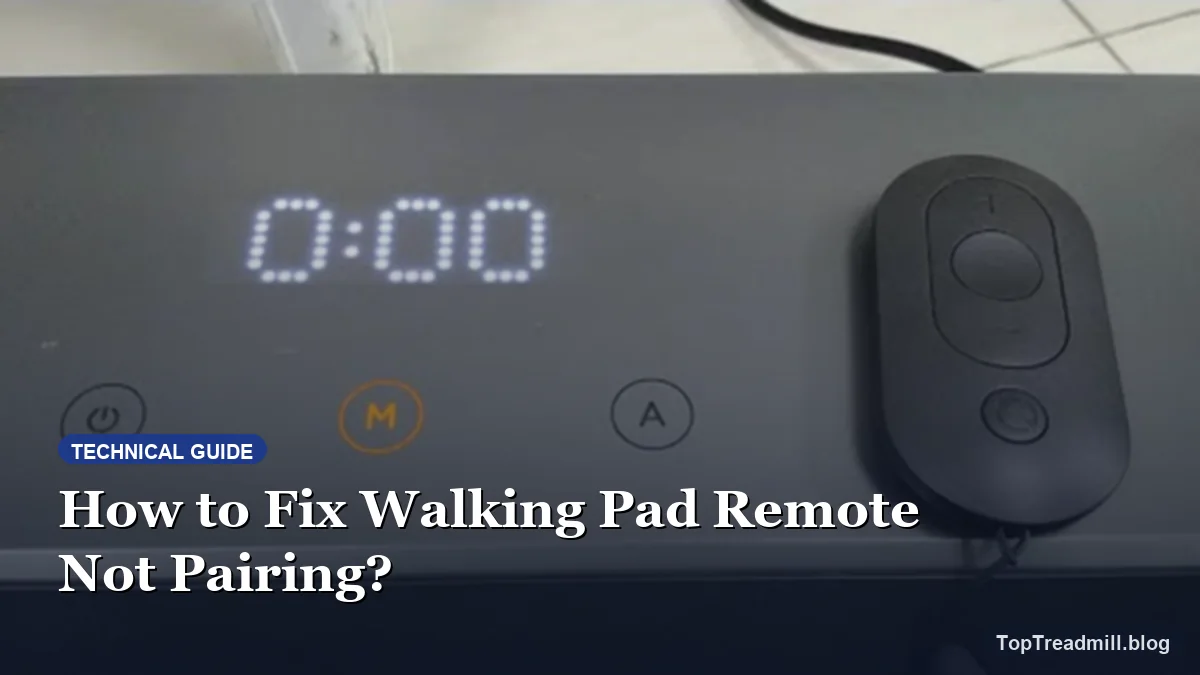
Most remote pairing failures stem from depleted batteries or RF interference. Always replace power cells before performing a hard controller reset.
Ready to compare models? Start with our Best Treadmill: Top Home Cardio & Under-Desk Picks (2026).
Practical Quick-Reference Table
| Scenario / Metric | Recommended Target | Why It Matters |
|---|---|---|
| Battery Voltage | 3.0V nominal minimum | Weak coin cells prevent RF signal transmission. |
| Proximity Range | Under 3 feet from base | Reduces packet loss during initial handshake. |
| Interference Sources | Keep away from 2.4GHz routers | Prevents frequency crowding and dropouts. |
| Reset Hold Time | 5 to 10 seconds | Triggers the receiver pairing memory flush. |
| Firmware Sync | Match console version | Ensures command protocol compatibility. |
| Antenna Inspection | Check internal wire seating | Restores physical signal reception strength. |
Understanding Wireless Remote Architecture in Compact Treadmills
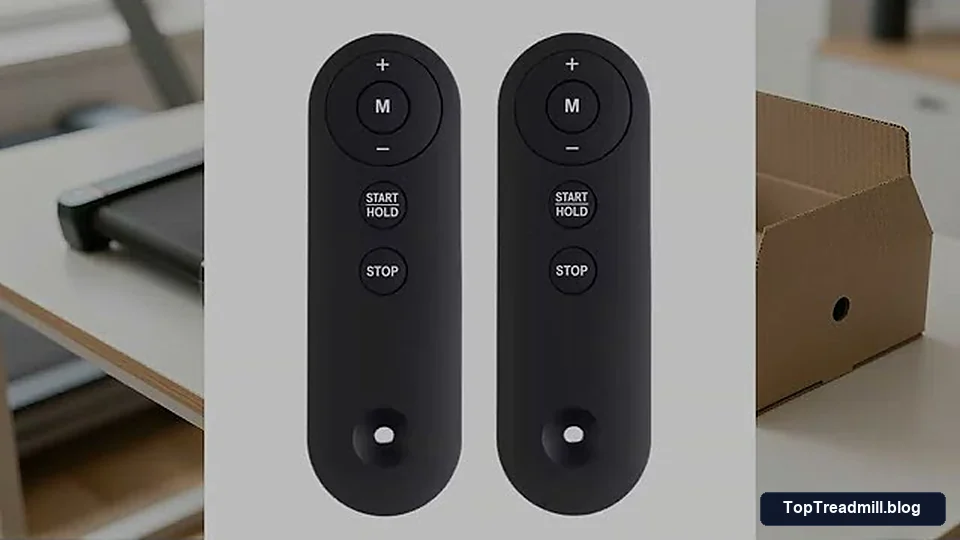
Modern walking pads rely on dedicated radio frequency modules to transmit user commands. These wireless systems operate on unlicensed spectrum bands like 2.4 gigahertz for rapid signal delivery.
When you press a speed button, the handheld unit emits a coded digital packet. The internal receiver board on the treadmill motor controller must capture and decode this specific transmission.
Signal degradation occurs when physical barriers or electronic noise block the transmission path. Understanding this hardware link helps you isolate whether the fault lies in the remote or receiver.
Most budget folding treadmills utilize simple infrared or proprietary RF chips. Identifying your specific communication protocol dictates the correct troubleshooting path for your particular machine model.
- Check manufacturer specifications for exact operating frequencies.
- Keep line-of-sight clear between remote and motor housing.
- Inspect exterior casing for hairline cracks or water damage.
- Verify LED indicator lights blink upon button actuation.
Frequency Band Characteristics
Compact treadmills frequently share frequency bands with household Wi-Fi networks. This overlap creates localized congestion that can disrupt your remote pairing sequence unexpectedly.
Isolating the walking pad away from active routers dramatically improves connection stability. When exploring our best walking pad treadmill selections, always test the pairing process in a low-interference environment to rule out network saturation.
- Power down nearby smart home hubs during pairing.
- Move walking pad away from microwave ovens and routers.
Diagnosing Low Battery and Power Delivery Obstacles
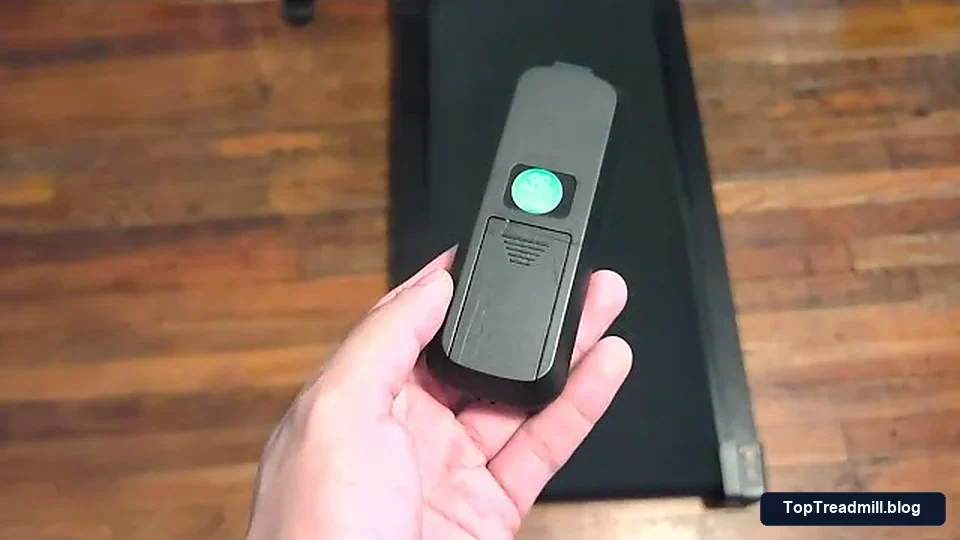
Insufficient voltage remains the leading cause of handheld remote unresponsiveness. Even if indicator lights flash faintly, coin-cell batteries often lack the current required for radio frequency transmission.
Open the battery compartment on the rear of your remote housing. Inspect the metal contact terminals for white corrosion residue or battery acid leakage that impedes current flow.
Clean dirty contacts using a cotton swab dipped in isopropyl alcohol. Ensure the new replacement cells match the exact voltage and chemistry specifications recommended by the manufacturer.
Verify that the battery door closes securely with firm spring tension. After using our treadmill deck size calculator to plan your gym layout, check that loose doors never cause intermittent power drops.
- Test replacement coin cells with a digital multimeter first.
- Scrape away oxidation from spring terminals gently.
- Ensure correct positive and negative polarity orientation.
- Avoid touching battery surfaces with bare oily fingers.
Multimeter Voltage Verification
Brand new batteries can occasionally sit on store shelves losing charge. Always verify that your replacement power cell outputs at least three volts before installation.
Discard cells measuring below two point eight volts immediately. Low voltage prevents the microchip inside the remote from generating the correct pairing frequency.
- Set multimeter to DC voltage measurement mode.
- Press probes firmly against top and bottom battery faces.
Video Walkthrough: Review Saillong Treadmill Remote Control Compatible with Q1 Walking Pad | Walking Pad Remote Replace
Executing Factory Hard Resets on Base Receivers
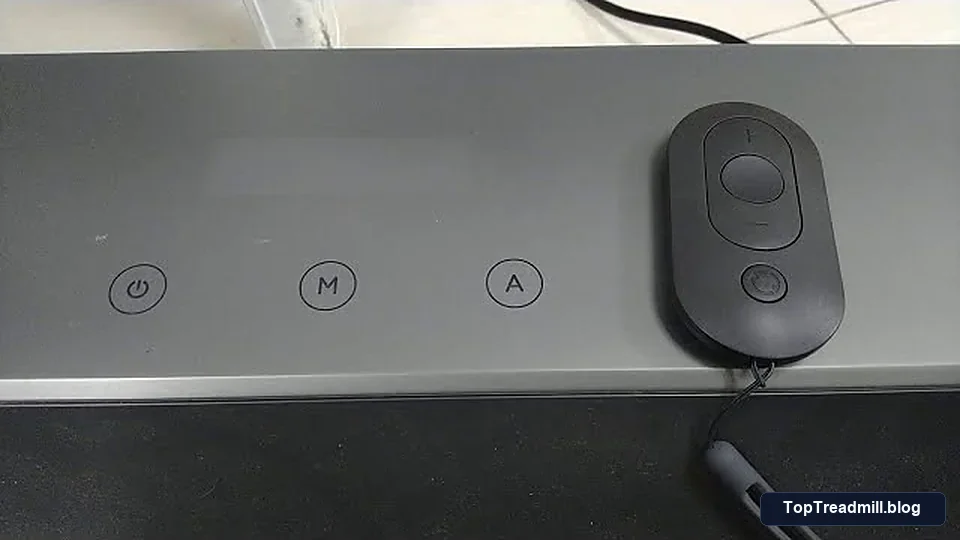
Walking pad receivers possess onboard memory chips storing paired remote identification codes. When choosing a model from our best walking pad with remote control roundup, flushing this volatile memory forces the controller to accept a fresh handshake signal.
Locate the physical reset button on the motor control board housing. You may need to unscrew the plastic motor shroud carefully to access this hidden diagnostic switch.
Power on the treadmill master switch while keeping the safety key engaged. Press and hold the controller reset button until you hear an audible series of verification beeps.
Release the button and immediately initiate the pairing sequence on your handheld remote. The receiver will now scan for the closest active transmitter and save its unique ID.
- Unplug the treadmill before removing the motor cover.
- Locate the recessed tactile micro-switch on the PCB.
- Hold the reset button for exactly eight seconds.
- Test belt response immediately after successful beeps.
Power Cycle Sequencing
Capacitors on the motor control board retain residual electrical charge. A complete power drain ensures the receiver clears all corrupted pairing registries from memory.
Leave the treadmill unplugged from the wall outlet for five full minutes before attempting any hardware reset procedures or pairing routines.
- Disconnect main power cord from wall outlet.
- Toggle main power switch on and off to drain capacitors.
Mitigating Environmental RF and Bluetooth Interference
Modern living spaces feature dense overlapping wireless signals from various electronic devices. These ambient transmissions frequently overwhelm the low-power receiver inside your walking pad base.
Bluetooth speakers, wireless headphones, and smartphones operate on similar frequency channels. Keep these active personal devices at least six feet away during remote pairing attempts.
Fluorescent lighting ballasts and cheap LED power supplies also emit electromagnetic noise. This high-frequency interference can completely drown out the weak signal from your remote.
Relocate your walking pad to an open floor space away from heavy electrical appliances. Clearing the immediate airspace allows the remote signal to reach the internal receiver cleanly.
- Disable nearby smartphone Bluetooth features temporarily.
- Turn off competing wireless fitness trackers during setup.
- Avoid placing walking pad directly under fluorescent fixtures.
- Keep remote close to the motor housing intake grille.
Physical Obstruction Analysis
Dense metal frames and thick desk legs block fragile wireless waves. Ensure no large metallic objects sit directly between your hand and the treadmill motor housing.
Maintain an unobstructed path during the initial pairing handshake to guarantee maximum signal strength reaches the internal receiver antenna wire.
- Remove nearby metal filing cabinets or table frames.
- Keep remote elevated above floor level during sync.
Inspecting Internal Antenna Connections and Motherboards
If software resets and new batteries fail, physical hardware damage is likely present. Walking pad vibration can loosen delicate internal antenna wires soldered to the control board.
Unplug the machine and carefully remove the plastic motor hood enclosure. Locate the wireless receiver module, which usually features a thin black or white wire acting as an antenna.
Verify that this antenna wire is securely soldered to the circuit board terminal. A detached or broken wire will drastically reduce reception range, making pairing impossible.
Inspect the surrounding motherboard components for signs of thermal stress, burnt traces, or dust accumulation. Clean delicate electronics using a compressed air canister held upright.
- Never touch circuit board components while plugged in.
- Examine solder joints with a magnifying glass closely.
- Secure loose antenna wires with non-conductive tape.
- Check all multi-pin wiring harnesses for tight seating.
Solder Joint Integrity Check
Constant footfall vibrations transmit mechanical shock through the entire treadmill frame. Over time, these micro-vibrations can fracture fragile solder joints on the wireless receiver module.
Gently wiggle the antenna wire with insulated tweezers to test joint stability. If the terminal wobbles, you will need to resolder the connection to restore function.
- Use a temperature-controlled soldering iron for repairs.
- Apply fresh rosin-core solder to fractured joints.
Video Walkthrough: How to pair Mi Walking Pad remote
Alternative Control Methods and App Integration Workarounds
When a physical remote fails permanently, secondary control options remain available. Most modern walking pads support smartphone companion applications communicating via low-energy wireless protocols.
Download the official manufacturer application onto your mobile phone or tablet. Enable device permissions and search for nearby fitness equipment to establish a direct connection.
Smartphone apps often provide superior speed adjustments and workout metric tracking compared to basic remotes. This digital workaround restores full usability without immediate hardware replacement costs.
Ensure your operating system software is fully updated to prevent application compatibility drops. Software patches frequently resolve persistent handshake errors caused by OS updates.
- Search app store for official equipment brand name.
- Grant Bluetooth and location permissions to software.
- Test manual belt start commands via phone interface.
- Keep mobile device within standard operating range.
App Pairing Protocols
Connecting via a mobile app bypasses the handheld remote entirely. This diagnostic step helps prove whether the internal base receiver is still capable of wireless communication.
If your smartphone connects successfully, the fault is isolated strictly to the handheld remote unit, confirming you only need to replace the remote transmitter.
- Power cycle treadmill before launching app scan.
- Check for pending mobile software updates online.
Preventive Maintenance for Long-Term Transmitter Reliability
Protecting your walking pad remote from physical abuse extends its operational lifespan significantly. Never leave the handheld unit resting on the moving belt where it can fall off.
Store the remote in a dedicated wall mount or secure desktop caddy after every workout session. Dropping hard plastic remotes onto concrete floors shatters internal quartz crystals instantly.
Protect electronic components from sweat corrosion during intense walking sessions. Wipe down sweaty hands before adjusting speeds or use a protective silicone remote skin cover.
Perform routine battery checks every six months to prevent chemical leaks. Before evaluating our walking pad vs treadmill comparison, ensure your handheld device remains consistently responsive whenever you step on to exercise.
- Install a dedicated magnetic wall storage bracket.
- Use silicone covers to cushion against drop impacts.
- Keep remote away from spilled drinking water bottles.
- Replace coin cells annually regardless of current charge.
Storage Environment Best Practices
Humidity and extreme temperature fluctuations degrade small electronic circuits over time. Store your remote in a climate-controlled room away from damp basements or garages.
Protecting the device from environmental moisture prevents oxidation buildup on internal microchips and ensures uninterrupted signal transmission year-round.
- Avoid leaving remotes in direct sunlight on windowsills.
- Keep spare batteries stored in original dry packaging.
Frequently Asked Questions
Why does my walking pad remote disconnect mid-workout?
Mid-workout dropouts usually indicate low battery voltage or local radio frequency interference. Try replacing the coin cell and moving nearby routers away.
How do I initiate a forced pairing mode on the treadmill?
Locate the recessed micro-switch on the motor control board housing. Press and hold this button for eight seconds while powering on the unit.
Can I use a universal remote with my specific walking pad?
Universal remotes rarely work because walking pads use proprietary frequency codes. You must source an exact replacement part from the original manufacturer.
What should I do if the pairing button inside is broken?
A broken tactile switch requires professional soldering or a replacement controller board. Alternatively, use the official smartphone application for control.
How far away can I hold the remote during pairing?
Keep the handheld unit under three feet from the motor housing during the initial handshake. This prevents signal packet loss and ensures synchronization.