How to Fix Treadmill Speed Fluctuating Unexpectedly?
Unstable belt speeds compromise user safety and accelerate mechanical wear. Master proper diagnostic protocols to restore consistent calibration.

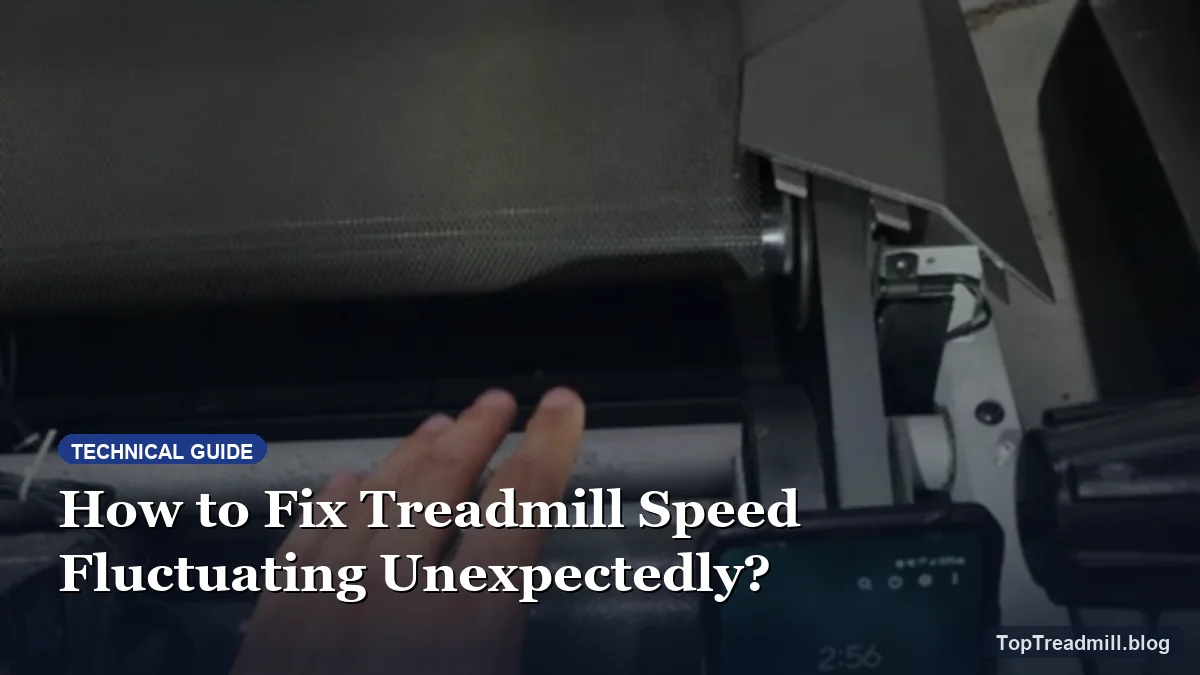
Speed surges or sudden drops typically stem from optical sensor misalignment, worn motor brushes, or slipping drive belts. Inspect these primary components before replacing expensive electronic control boards.
Ready to compare models? Start with our Best Treadmill: Top Home Cardio & Under-Desk Picks (2026).
Practical Quick-Reference Table
| Scenario / Metric | Recommended Target | Why It Matters |
|---|---|---|
| Optical Speed Sensor | Clean of dust and aligned | Prevents erratic RPM feedback loops |
| Drive Belt Tension | 1/2 inch deflection | Eliminates slip under foot strike loads |
| Deck Lubrication | Silicone oil applied evenly | Reduces motor amperage draw spikes |
| Input Voltage | Within ten percent of nominal | Protects sensitive motor controller boards |
| Running Belt Tension | Equal left-to-right adjustment | Stops momentary hesitation and binding |
| PWM Controller Output | Stable DC voltage delivery | Ensures smooth continuous motor torque |
Anatomical Overview of Treadmill Speed Regulation
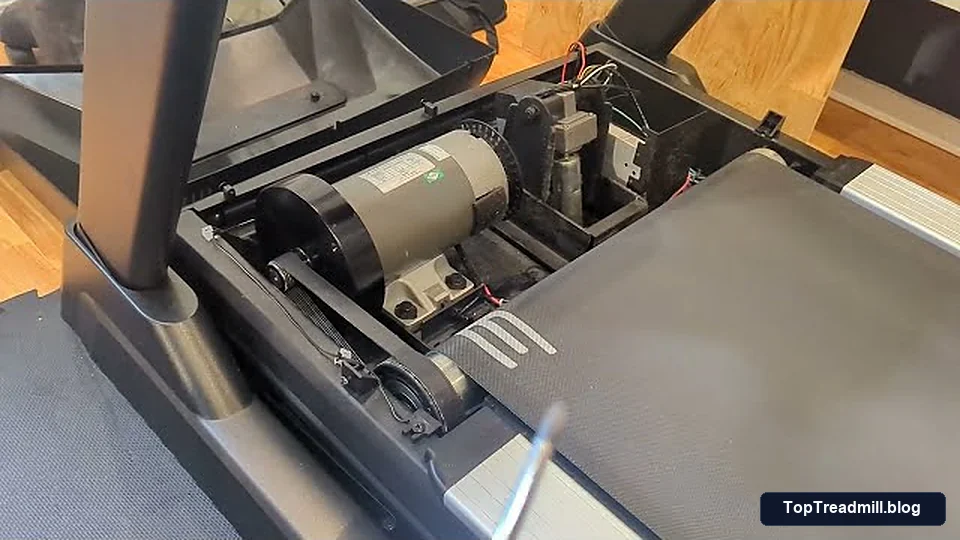
Modern motorized treadmills rely on sophisticated pulse width modulation to regulate running belt velocity. The motor controller board translates console input into precise direct current voltage delivered to the drive motor.
An optical encoder mounted on the front motor pulley measures actual revolutions per minute, helping you maintain the best speed for weight loss on treadmill sessions while feeding data back to the circuit board.
When this closed-loop communication fails, the console loses track of actual belt velocity. Friction spikes, loose wiring harnesses, or failing electronic components quickly manifest as unexpected surges, sudden slowdowns, or total speed lockups.
Understanding this electromechanical chain allows technicians to isolate faults systematically. Instead of guessing at symptoms, you can test specific voltage outputs and physical clearances using standard digital multimeters and basic hand tools.
- Motor controllers convert alternating current into regulated direct current power.
- Optical encoders provide crucial real-time feedback regarding actual motor shaft rotation speed.
- Friction anomalies force the drive motor to draw higher amperage, destabilizing output.
- Electrical interference from loose grounds can corrupt low-voltage sensor communication signals.
The Feedback Loop Mechanism
The microprocessor constantly compares target speed against actual encoder pulses. Even minor discrepancies trigger immediate voltage adjustments to force the motor back into strict alignment.
If debris blocks the optical reader, the controller receives zero pulses and overcorrects drastically. This engineering design explains why simple cleaning often resolves severe erratic speed behavior instantly.
- Encoder discs feature numerous slots to calculate precise rotational velocity.
- Blocked photo-optic beams cause the system to assume the motor has stopped.
Inspecting and Cleaning the Optical Speed Sensor
The optical speed sensor represents the most common culprit behind sudden speed surges. Accumulated belt dust, pet hair, and carbon residue frequently obscure the tiny infrared beam inside the sensor housing assembly.
Begin by unplugging the machine from the wall outlet and removing the motor hood. Locate the small plastic encoder wheel attached directly to the front arbor of the primary drive motor.
Carefully wipe both sides of the slotted disc using a lint-free microfiber cloth dampened with isopropyl alcohol. Avoid applying excessive pressure that might bend the delicate wheel or misalign its delicate mounting bracket.
Inspect the wiring harness connecting the sensor to the lower control board for pinched wires. Secure loose connectors to ensure reliable signal transmission when testing the best high speed treadmill for fast runners.
- Always disconnect main electrical power before removing the protective plastic motor hood.
- Use high-purity isopropyl alcohol to clean sensitive optical surfaces without leaving residue.
- Verify that the sensor bracket sits squarely over the rotating encoder disc slots.
- Check all internal wiring terminals for corrosion or signs of thermal degradation.
Testing Sensor Output Voltages
With the machine powered on and safety key engaged, measure the signal pin output voltage. Rotating the motor by hand should produce a fluctuating digital reading between zero and five volts.
A flat voltage line indicates a dead sensor or a severed internal wire. Replace the entire sensor assembly if cleaning fails to restore these characteristic pulse-wave fluctuations during manual rotation.
- Set your digital multimeter to measure direct current voltage accurately.
- Rotate the front flywheel slowly while monitoring the meter display values.
Video Walkthrough: Treadmill Stops Suddenly (Speed Sensor / RPM Sensor Troubleshooting \u0026 Fix)
Tensioning and Aligning the Drive Belt Mechanism
A slipping drive belt transmits erratic power from the motor to the front roller. If the belt lacks proper tension, the motor spins freely while the running belt hesitates under your body weight.
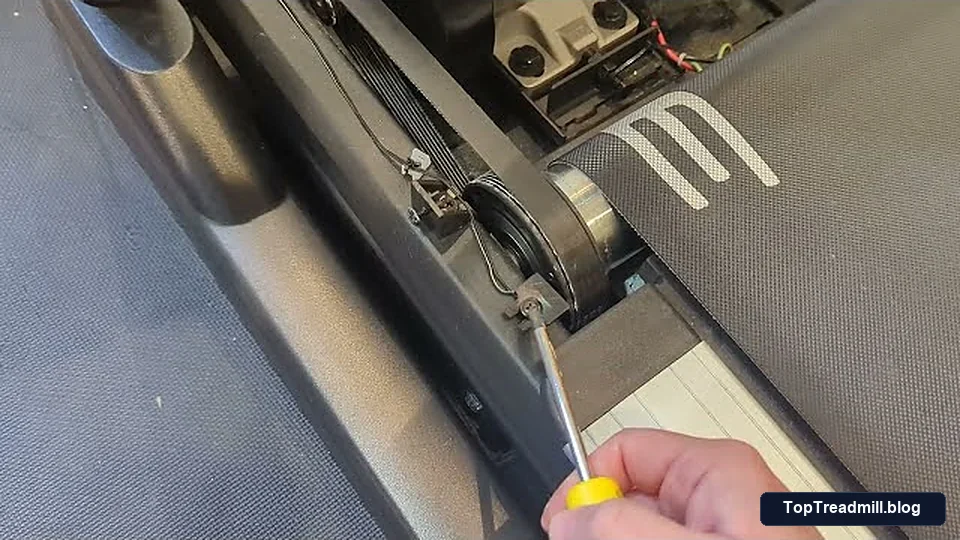
Inspect the ribbed rubber belt connecting the motor pulley to the front roller assembly. Look for rubber shavings, glazing, or lateral cracking that indicate advanced wear and compromised power transmission efficiency.
Adjust the motor mounting bolts or tensioner bracket until the belt exhibits roughly one-half inch of deflection. Overtightening stresses the motor bearings prematurely, while undertightening causes severe slipping under heavy foot strikes.
Ensure perfect pulley alignment by sighting down the drive axis. Misaligned pulleys cause lateral belt tracking forces that eventually lead to premature fraying and intermittent speed drops during workouts.
- Inspect rubber drive belts annually for micro-cracks and surface glazing.
- Maintain correct tension to prevent rotational slip under maximum user loads.
- Align motor and roller pulleys precisely to eliminate lateral friction losses.
- Tighten all adjustment fasteners securely after achieving proper belt deflection.
Checking Front Roller Engagement
Observe the front roller while a partner walks lightly on the running belt. If the motor speeds up but the roller lags, the drive belt requires immediate tensioning.
Listen carefully for squealing noises during startup sequences. Squealing almost always points to high friction slip between the smooth motor pulley and the grooved drive belt surface.
- Perform visual load checks using safe testing procedures and footwear.
- Never touch moving pulleys or belts while the machine is operating.
Evaluating Lubrication and Running Deck Friction
Excessive friction between the running belt and wooden deck forces the motor to work harder. This elevated mechanical resistance triggers automatic current adjustments that manifest as unexpected speed fluctuations during use.
Slide your hand beneath the center of the running belt to check for adequate lubrication. The deck surface should feel noticeably slick, leaving a faint residue of pure silicone lubricant on your fingertips.
Apply 100 percent silicone treadmill lubricant beneath the running deck, matching the dimensions specified in our treadmill deck size calculator. Avoid petroleum-based oils that degrade specialized deck coatings and attract harmful debris.
Wipe away any excess lubricant that migrates to the outer edges of the belt. Accumulated oil on the front roller or drive belt causes catastrophic slipping and erratic speed behavior during hard workouts.
- Check deck lubrication levels every three to six months depending on usage.
- Use exclusively pure silicone formulas designed specifically for motorized fitness equipment.
- Distribute lubricant evenly across the central walking path beneath the belt.
- Clean edge runoff immediately to prevent dangerous drive belt slippage issues.
Measuring Motor Amperage Draw
Advanced technicians use clamp meters to monitor running motor amperage under load. High current draw confirms excessive deck friction is destabilizing the entire electronic drive system.
Compare measured amperage against the specifications printed on the motor housing label. Exceeding normal operational thresholds requires immediate deck waxing or running belt replacement.
- Use a calibrated clamp meter around the primary motor power leads.
- Verify that current draw stabilizes during consistent steady-state walking speeds.
Testing Electrical Power Delivery and Controller Integrity
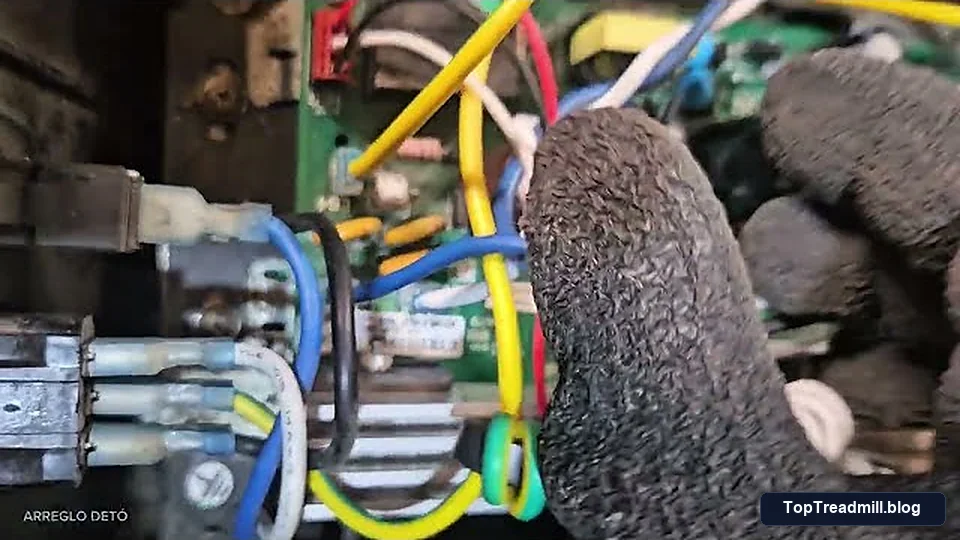
Unstable wall voltage directly impacts the performance of internal treadmill electronics. Fluctuating household power supplies can confuse the motor controller, resulting in erratic belt speeds and sudden operational shutdowns.
Plug the treadmill directly into a dedicated wall circuit without using extension cords. Extension cords introduce electrical resistance that drops operating voltage and starves the motor of required operating current.
Inspect the lower control board for blown fuses, bulging capacitors, or charred solder joints. Thermal damage on the circuit board often disrupts pulse width modulation signals sent to the drive motor.
Verify that all internal ground wires remain firmly attached to the chassis. Loose grounds allow electrical noise to interfere with low-voltage sensor feedback circuits, causing erratic speed jumps.
- Always plug high-draw fitness equipment into dedicated wall outlet circuits.
- Never utilize standard extension cords or multi-outlet adapters for treadmills.
- Inspect controller board capacitors for visual signs of bulging or leaking.
- Ensure all chassis ground connections are free from rust and securely fastened.
Diagnosing PWM Controller Failure
Monitor the direct current output terminals on the motor controller during operation. A healthy controller delivers steady voltage matching the console speed command without sudden spikes.
If output voltage oscillates wildly while input voltage remains stable, the controller board is failing. Replacing this electronic assembly restores reliable speed regulation and motor response.
- Measure DC voltage stability across the positive and negative motor leads.
- Look for erratic controller responses to standard console speed inputs.
Video Walkthrough: Treadmill Speed Sensor Error | No Speed Signal
Calibrating Console Software and Speed Sensors
Sometimes speed fluctuations stem from corrupted console software parameters. Running the manufacturer calibration routine resets baseline encoder pulses and re-establishes correct minimum and maximum speed limits.
Access the engineering diagnostic mode using the specific button combination for your console model. Consult your service manual to find the precise sequence required to unlock calibration settings.
Follow the on-screen prompts to execute the automatic speed calibration test. The machine will ramp through various velocity levels to measure encoder response and calibrate internal memory registers.
Save all calibration changes before exiting the engineering menu, ensuring your treadmill speed vs outdoor speed metrics remain accurate. Power cycle the treadmill completely to load new parameters.
- Access diagnostic modes using manufacturer-approved keypad input sequences safely.
- Allow automatic calibration routines to run through their full completion cycles.
- Save updated system settings before powering down the treadmill console.
- Test belt stability at various speeds immediately following calibration procedures.
Resetting Memory Registers
Clearing corrupted non-volatile memory resolves stubborn speed control software glitches. Many modern consoles feature a hardware reset jumper located on the main circuit board.
Perform this master reset only after checking all mechanical and electrical components. Restoring factory default settings ensures clean operating logic for your motor drive system.
- Locate factory reset pins on the primary console circuit board.
- Ensure power is disconnected before manipulating any internal jumper blocks.
Frequently Asked Questions
Why does my treadmill suddenly accelerate on its own?
Sudden acceleration usually indicates a dirty optical speed sensor or failing encoder feedback. Clean the slotted disc thoroughly with isopropyl alcohol to restore normal velocity signal processing immediately.
Can a worn running belt cause speed fluctuations?
Yes, excessive deck friction from a worn belt forces the motor to draw variable current. Lubricating the deck or replacing worn components stabilizes motor load and eliminates speed surges.
How often should I clean the optical speed sensor?
Inspect and clean the optical encoder roughly every six months to prevent dust accumulation. Regular maintenance ensures uninterrupted communication between the motor and control board.
What tools do I need to diagnose treadmill speed issues?
You will need a digital multimeter, basic screwdrivers, an Allen wrench set, and isopropyl alcohol. These standard tools allow you to test voltages and clean internal mechanical components safely.
Does electrical interference affect treadmill speed stability?
Household appliances on the same circuit can introduce electrical noise that corrupts sensor signals. Plugging your treadmill into a dedicated wall outlet prevents most power-related speed anomalies.